
Capture SSL-Pinned Apps from Inside the App
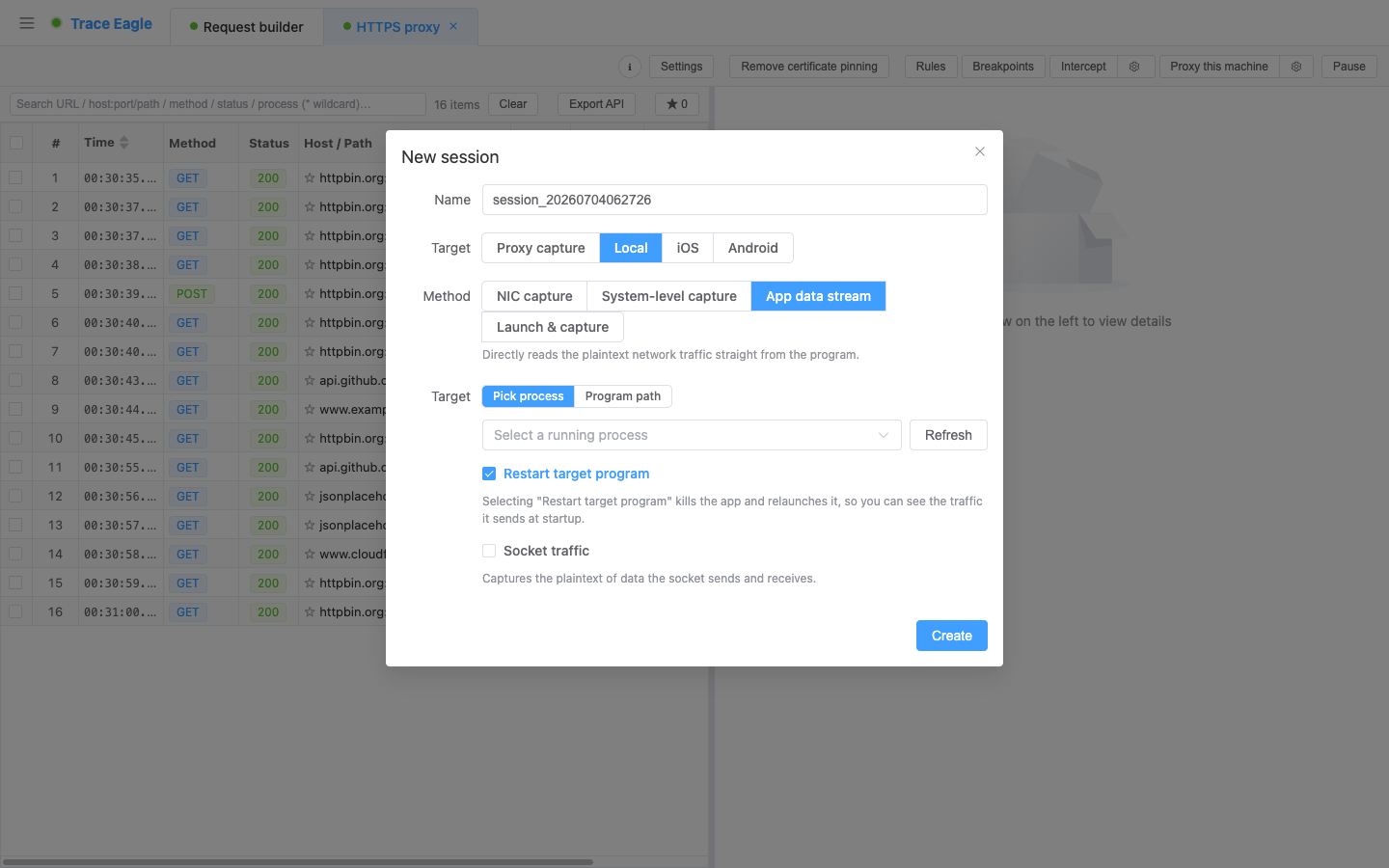
Some programs are beyond the reach of both the proxy and the NIC: they use certificate pinning, ignore the proxy entirely, or use in-house encryption. App-layer capture takes a different route: it reads plaintext directly from inside the program. It installs no certificate, configures no proxy, and captures no NIC, so all of those “defenses” simply don’t apply, and you still see what it’s really sending and receiving. This is the most typical blind spot for ordinary capture tools, and it’s this mode’s killer feature.
1. What others can’t get plaintext for, it can
Section titled “1. What others can’t get plaintext for, it can”| The target program’s “defense” | Proxy capture | NIC capture | App-layer capture |
|---|---|---|---|
| Certificate pinning | ❌ Can’t connect / errors out | 🔒 Ciphertext only | ✅ Plaintext |
| Ignores the system proxy | ❌ Can’t capture | 🔒 Ciphertext only | ✅ Plaintext |
| In-house / non-standard encryption | ❌ Can’t decrypt | 🔒 Ciphertext only | ✅ Plaintext |
The principle is simple: it reads plaintext directly from inside the program, with no man-in-the-middle and no touching of certificates, so all those defenses aimed at “the man in the middle” and “the certificate” simply don’t apply.
2. How broad the coverage is
Section titled “2. How broad the coverage is”It isn’t picky about crypto libraries or tech stacks. Reading plaintext from inside the program covers far more programs than the proxy or NIC can:
- Whether the program uses a mainstream or an obscure crypto library, the plaintext can be read from inside.
- Whether it’s a native program or an app written with various cross-platform frameworks (desktop clients, cross-platform apps…), it can be handled all the same.
- Even programs that communicate using the operating system’s built-in crypto are covered, including .NET / PowerShell and other programs that use the Windows system network stack. These are often the blind spots that other tools struggle with most, yet here the plaintext is still read from inside.
- In short: browsers, desktop clients, native programs… many targets that are “ciphertext only” elsewhere are plaintext right here.
3. It can handle the tougher cases too
Section titled “3. It can handle the tougher cases too”For the hardest programs, there are two more measures:
- “Socket traffic,” a lower-level fallback: for programs that are stripped down, have their symbols removed, or are written with a newer tech stack (for example pure Go, Rust, or using the Windows system network stack), when the ordinary approach can’t find their encryption/decryption entry point, turn on this switch and it takes a lower-level route to grab the data and still get plaintext, without depending on being able to locate the program’s encryption/decryption entry point and without depending on the NIC. Many programs that other tools are completely stuck on can be handled this way.
- Capturing “the moment of startup”: much authentication and handshaking happens the instant a program first starts. Close it first and let the tool launch it, and this early-startup traffic is captured too, so you don’t miss that critical first request.
4. After capture: understand it, decode it
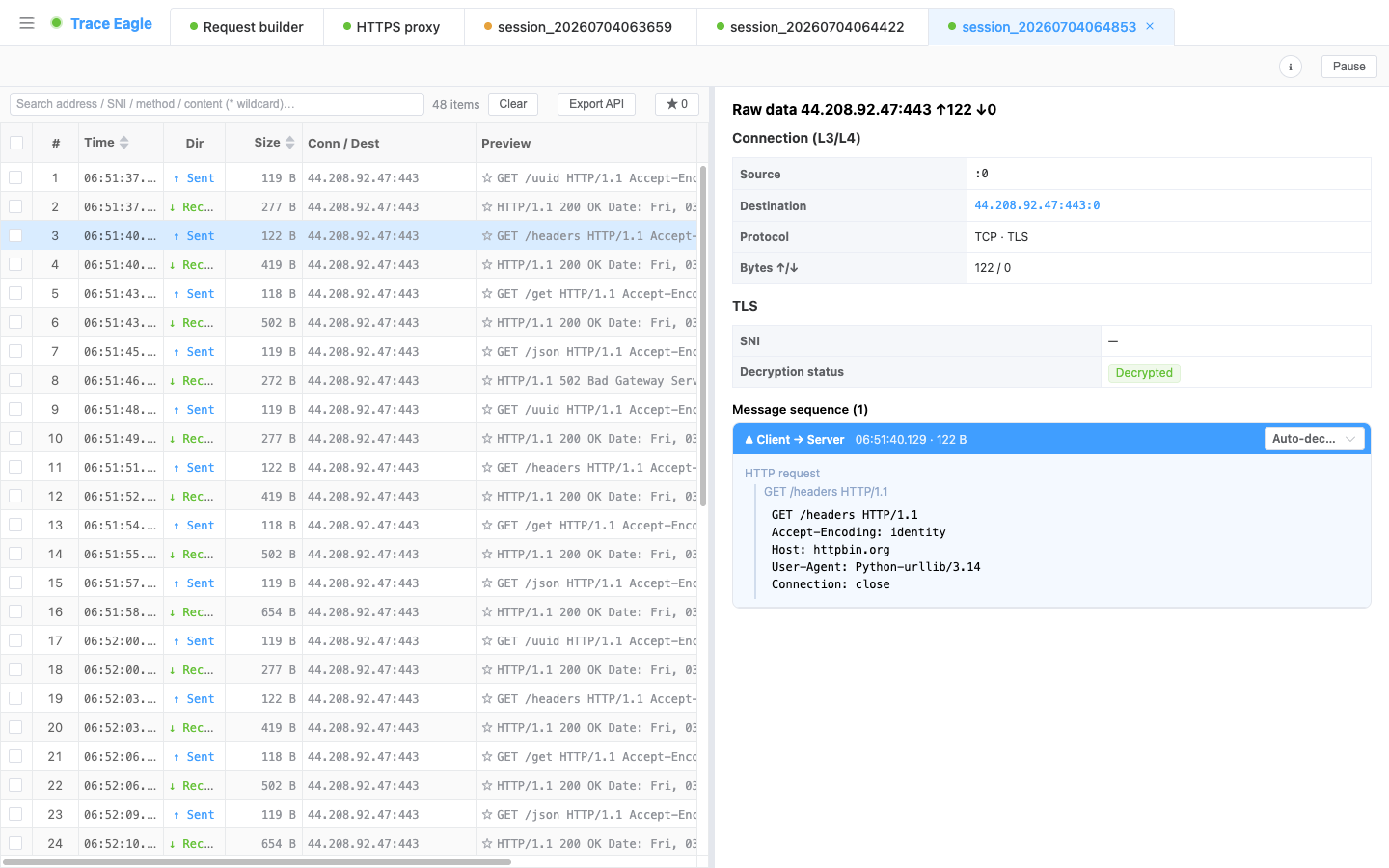
Section titled “4. After capture: understand it, decode it”The plaintext read from inside goes through the same processing as every other capture method:
- Multiple ways to view: structured, prettified text, hex, and auto-detect, switchable independently for each direction. See Inspect & Decode for details.
- Automatic decompression and detection: automatically decompresses gzip / brotli / deflate / zstd (including multiple stacked layers), and auto-detects and prettifies JSON, XML, forms, protobuf / gRPC, and more.
- Custom codecs: for proprietary / in-house socket protocols, write a short script to teach it how to read them. See Custom Protocol Decoding for details.
5. Scope and boundaries
Section titled “5. Scope and boundaries”- Best for: programs with certificate pinning, that ignore the proxy, or that use in-house / non-standard encryption, where neither the proxy nor the NIC can get plaintext.
- Works directly on a running program: select a running program and read its plaintext from inside, on the spot, with no need to restart it or change any of its settings (you can also enter a program path and let the tool start it for you).
- Targets only the selected program: by default it doesn’t automatically expand to all of the program’s child processes; multi-process / multi-window programs may need to be selected separately.
- When to hand off to system-level capture: built-in system apps on macOS, along with especially stubborn, deeply hidden apps, refuse all outside intervention, and this mode can’t get in; for those targets, switch to System-Level Capture (which doesn’t enter the program and observes from the system’s lower levels).
6. Choosing among the four local capture methods
Section titled “6. Choosing among the four local capture methods”| Your situation | Which to use |
|---|---|
| A program that’s already running / uses certificate pinning / ignores the proxy / uses in-house encryption | App-layer capture (this page) |
| A regular program you can start with a command (browser / script / CLI) | Per-Process Capture (more effortless) |
| Wanting to see all traffic on the machine, or non-HTTP traffic | NIC Capture |
| Built-in system apps on macOS / stubborn apps | System-Level Capture |
Related: Proxy Capture · Clear Certificate Pinning · Inspect & Decode