
Host Details: IP Owner, ASN, Cert Grade, Subdomains
In ordinary capture tools, a piece of traffic gives you only an IP and a domain. In Trace Eagle, one click on the host opens its full dossier: who it belongs to, where it is, whether its certificate is healthy, and what technology it runs. Whether you have an IP or a domain, one click looks it up. It is useful for troubleshooting, security audits, and asset inventory.
1. Clickable everywhere
Section titled “1. Clickable everywhere”Wherever a captured host / IP / SNI appears in the interface, click it to open the host dossier (the field is filled in automatically and the lookup starts):
- The target IP and hostname in HTTP traffic details
- The target IP and SNI in TCP / TLS traffic details
- The “View host dossier” item in the right-click menu of the traffic list and the packet view
- The live connections panel
Click, and the host’s full dossier opens.
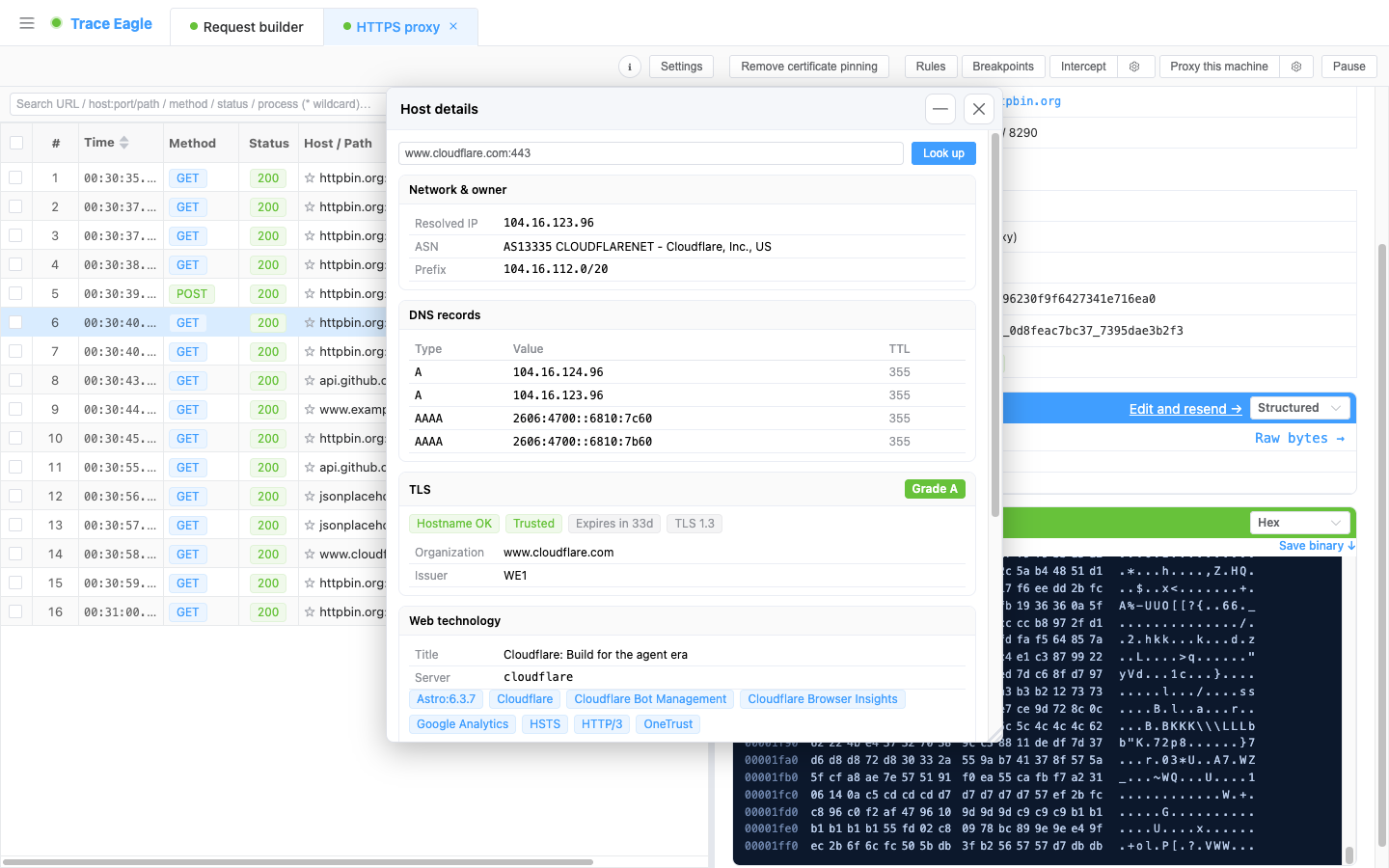
2. What is in the dossier
Section titled “2. What is in the dossier”Ownership info (whose IP)
Section titled “Ownership info (whose IP)”- The resolved IP and reverse DNS (PTR)
- ASN: number + name + announced route prefixes (CIDR)
- The owning organization, registry, and country
- Network block (CIDR + allocation type)
- Abuse-report contact
Geolocation (where it is)
Section titled “Geolocation (where it is)”- City / region / country (including ISO code)
- The exact location marked on a world map, visible at a glance
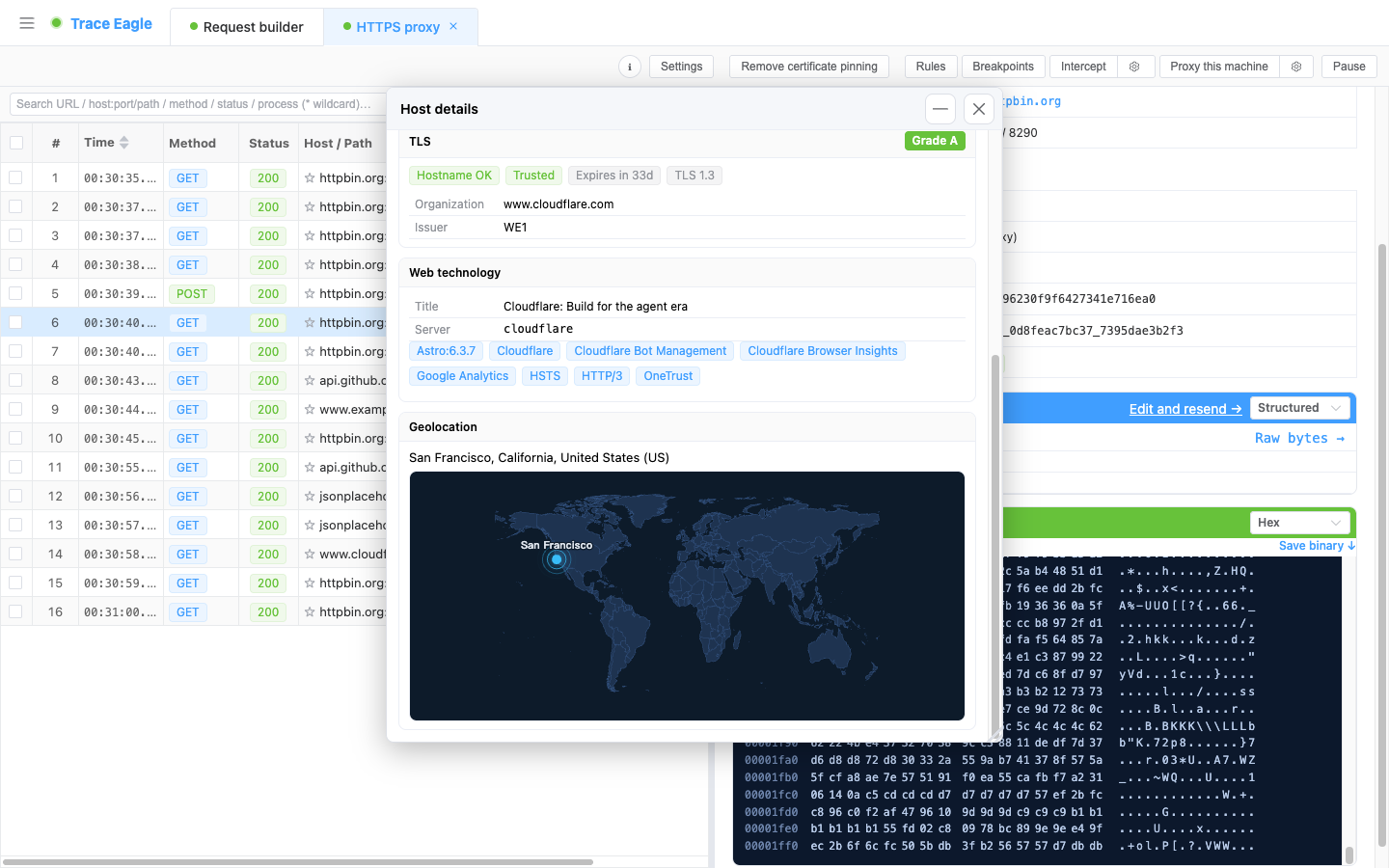
DNS records
Section titled “DNS records”- A / AAAA / MX records, showing type / value / TTL
TLS certificate checkup (whether it is secure)
Section titled “TLS certificate checkup (whether it is secure)”- A / B / C / F security grade (with a prominent color marker)
- Whether the hostname matches, whether the certificate chain is trusted, and expiry status (expired or not / days remaining)
- TLS version, certificate issuer and subject (organization)
- With the TLS audit tool you can also see: the full certificate chain (subject / issuer / validity / days remaining / DNS names / whether it is a CA / key type / signature algorithm / whether self-signed), the list of supported protocols, the cipher suites and their strength (weak-suite / forward-secrecy markers), the suite actually negotiated in this handshake, and the Certificate Transparency (CT) logs, which list all hostnames a single certificate covers at once and give the total count, digging out even related subdomains that never appeared in the traffic
Web tech stack (what it runs)
Section titled “Web tech stack (what it runs)”- Page title, Server header
- Detected server / framework / CMS / library (shown as tags)
3. What it helps you do
Section titled “3. What it helps you do”- Troubleshooting: see at a glance “who this traffic actually connects to, and which data center / carrier it goes through.”
- Security audit: verify whether the certificate is trusted, whether it is about to expire, whether the cipher suites are strong enough, and whether there is downgrade risk.
- Asset inventory / attribution: use the ASN, organization, and registration info to determine the peer’s ownership; then, following the CT logs, surface all hostnames a single certificate covers plus related subdomains at once, an attribution capability ordinary capture tools simply do not have.
- Complaints and reports: get the abuse-report contact directly.
One piece of traffic vs. a full dossier: in ordinary capture tools, a piece of traffic stops at one IP and one domain; here, one click shows ownership, geolocation, certificate checkup, and tech stack all at once.
Back to Proxy Capture